Reclaimer New — Reclaimer for iPhone & iPad

Reclaim space on your Mac.

Reclaimer shows you exactly what's using your disk — then cleans it safely. Native, fast, and private. One-time purchase, no subscription.

Free 7-day trial · One-time €49.99 · Requires macOS 26 or later
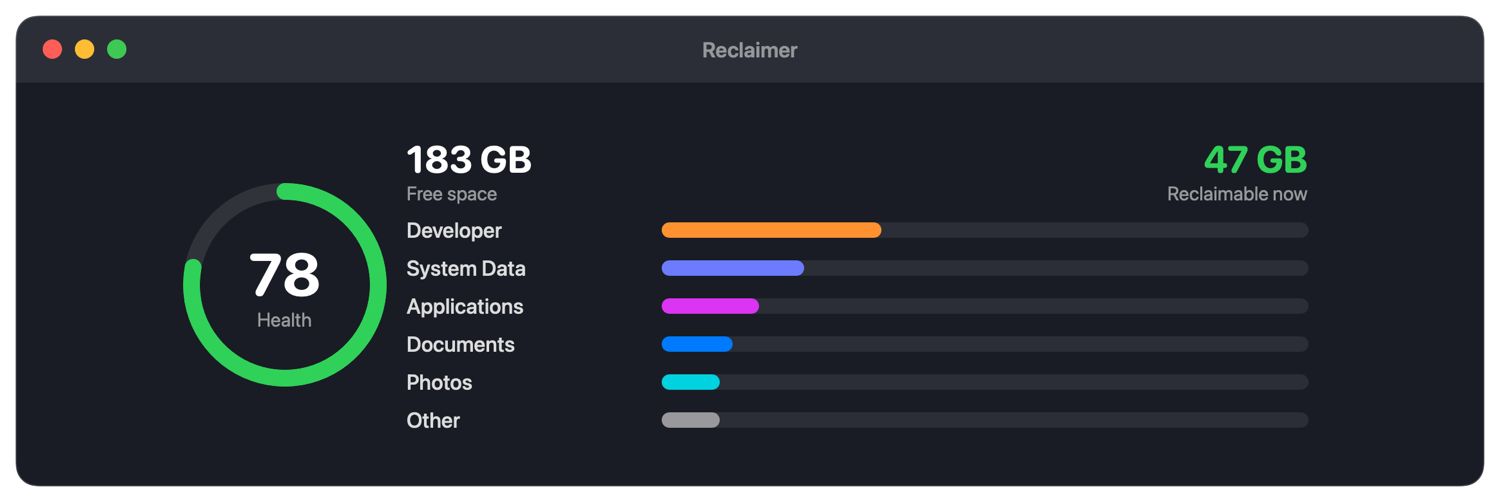
Reclaimer dashboard showing what's using your disk
🖥️ Native Apple-silicon app 🔒 Private — your files never leave your Mac 💸 One-time price, no subscription 🧹 Up to gigabytes back in one click
What Reclaimer does

Find it. Understand it. Get it back.

A whole-disk scan with a fast, native engine — laid out so the biggest space hogs are obvious at a glance, and safe to clean in a click.

See what's filling your Mac

A live map of every byte: free space, a health score, and where your storage actually goes — Developer, System Data, Applications, Photos and more.

Dashboard

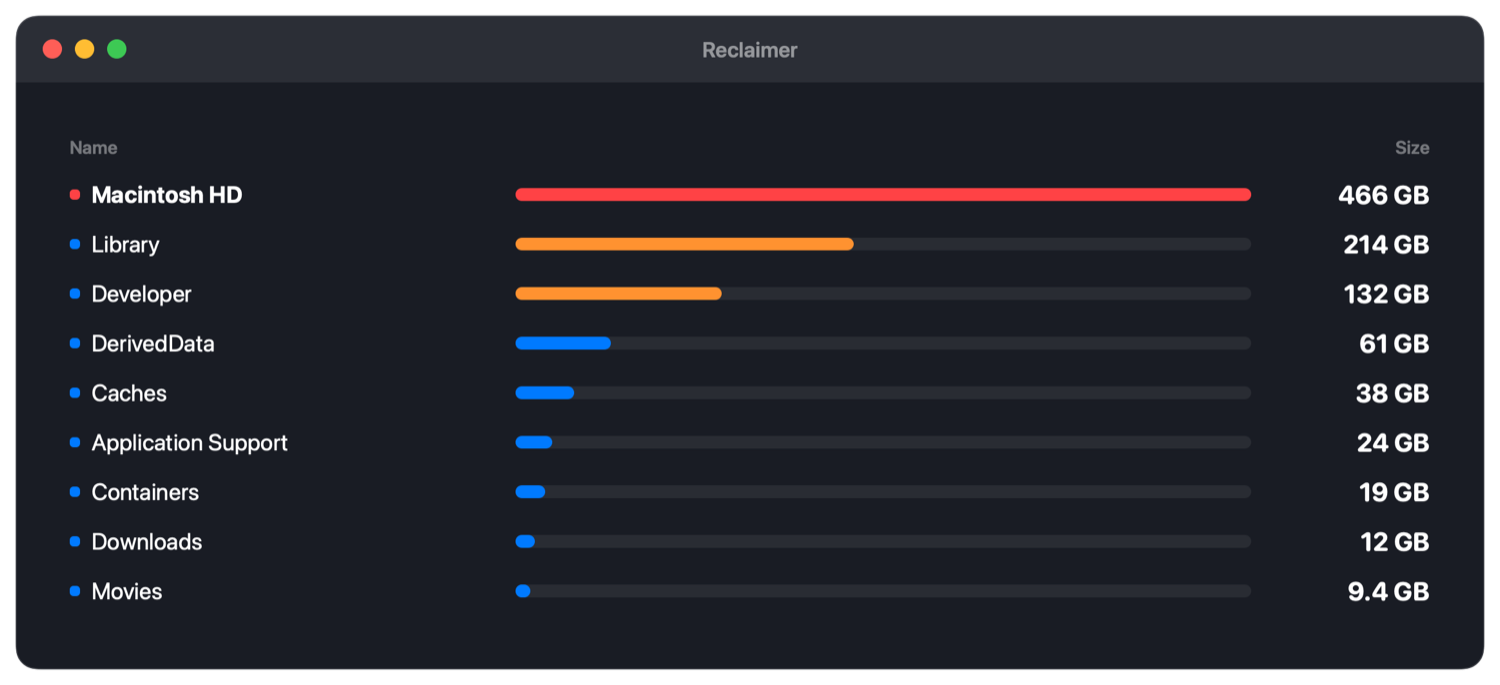
Browse by size, largest first

An interactive breakdown of every folder and volume — internal and external — so the things eating your disk jump right out.

Browse by size

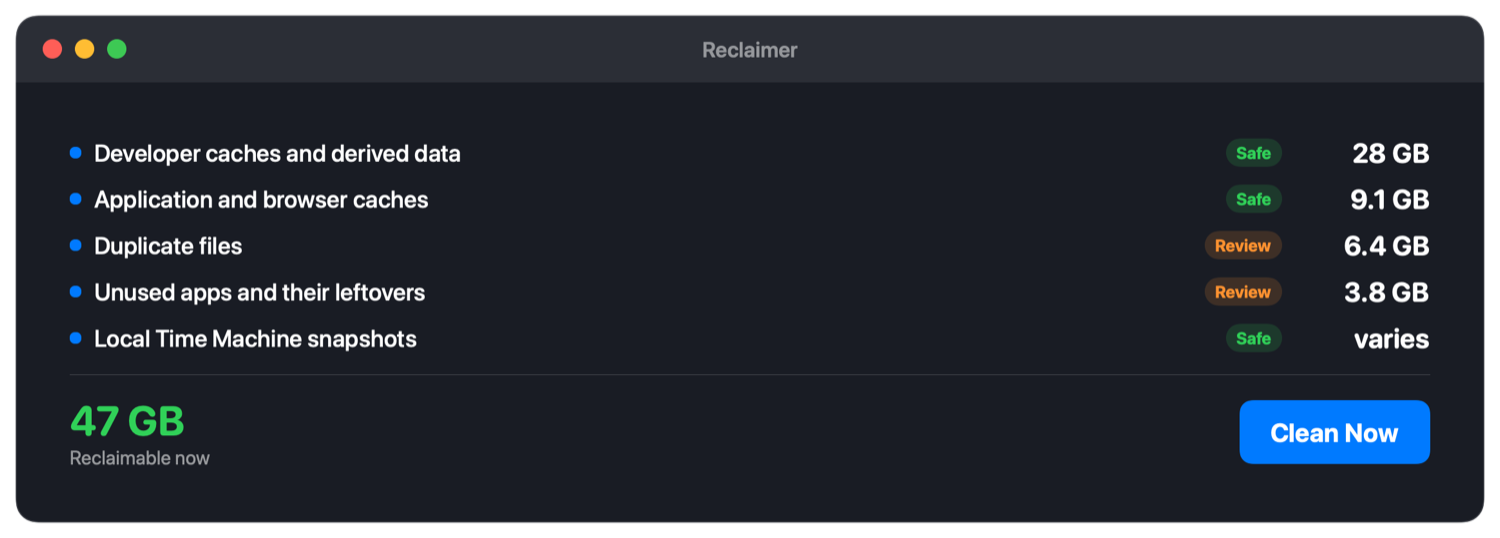
Reclaim gigabytes in one click

Reclaimer flags what's safe to remove — caches, build artefacts, duplicates, unused apps and old snapshots — and always shows you every item before anything is deleted.

Reclaim plan

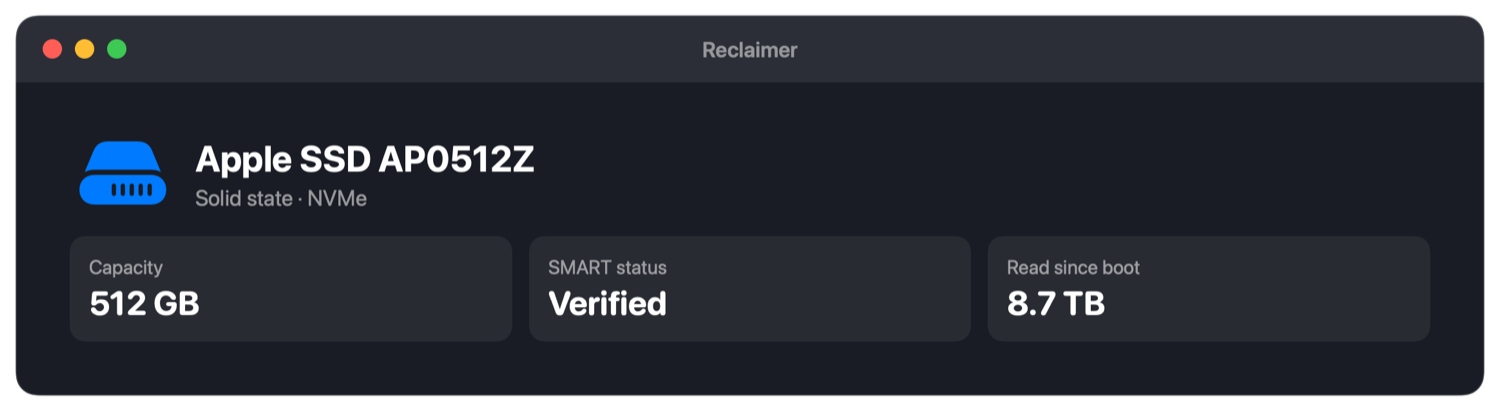
Know your disk inside out

SSD model and capacity, controller SMART status, lifetime write totals and a 90-day performance history — the stuff macOS hides from you.

Storage health
Everything a cleaner should do

One app, the whole job

🗑️

Caches & build junk

Xcode, simulators, npm, Docker, browsers, logs and derived data — cleared safely.

📄

Duplicate files

Matched by content, not name. Keeps the newest copy, removes the rest.

🧩

Uninstall completely

Remove apps with every leftover — containers, caches, preferences and login items.

🕓

Large & old files

Surface the big files you've forgotten about, sorted by size and age.

📸

Local snapshots

Thin the local Time Machine snapshots quietly eating your internal disk.

Automatic cleaning

Optionally clean safe caches when space runs low, while your Mac is idle.

Why Reclaimer

Own it once. Keep it forever.

Most Mac cleaners rent you the app month after month. Reclaimer is a one-time purchase that respects your files and your wallet.

 
Reclaimer
Subscription cleaners
Price
€49.99 once
~€30–40 / year, forever
Native Apple-silicon app
Yes
Often not
Your files stay on your Mac
Always
Varies
Tracking / ads
None — anonymous, opt-out
Varies
Account required
No
Often
Pricing

Simple, honest, one-time.

€49.99 once
Lifetime license · no subscription
  • Every cleanup feature, unlocked forever
  • Free updates
  • Use it on your Macs
  • 7-day free trial before you buy
Secure checkout by Stripe · Your license key is emailed instantly.
New · iPhone & iPad

Reclaimer for iPhone & iPad

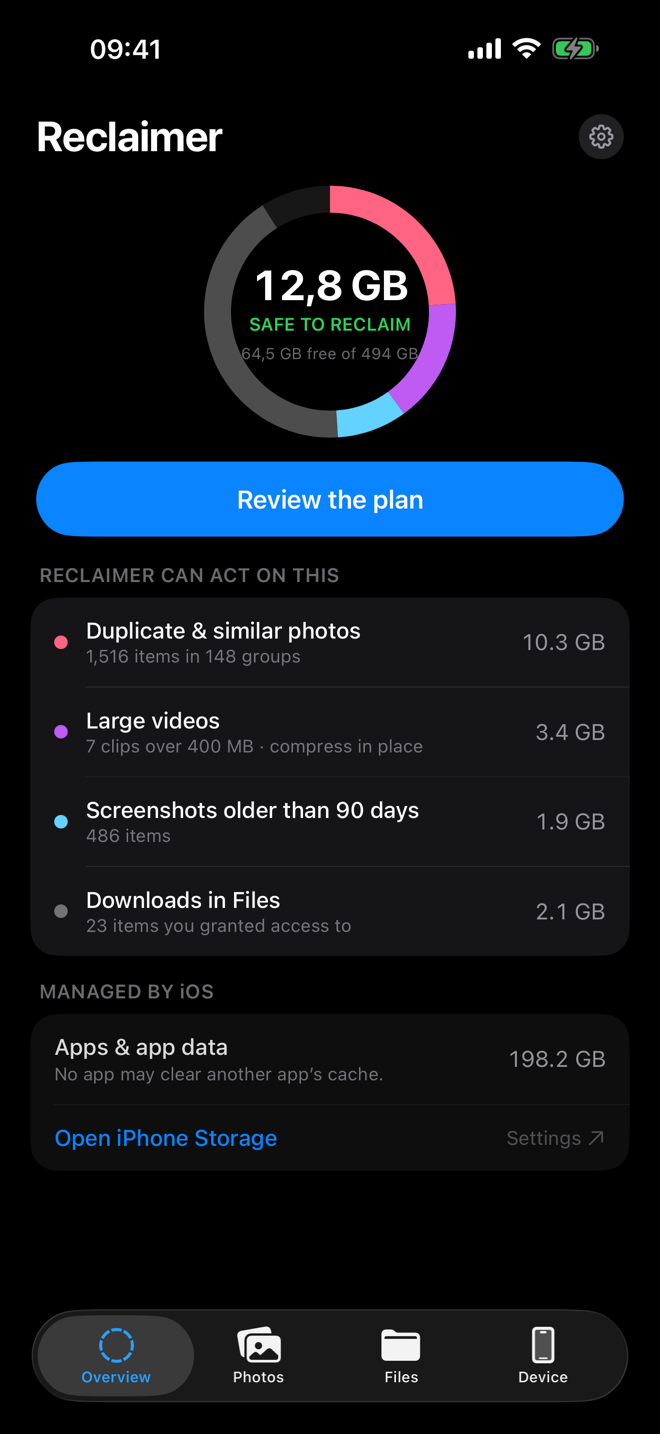
On your Mac, Reclaimer clears your disk. On your iPhone and iPad, it clears your photo library — duplicate and near-identical photos, uncounted bursts, old screenshots and space-hungry videos. Everything runs on device; nothing is uploaded, ever.

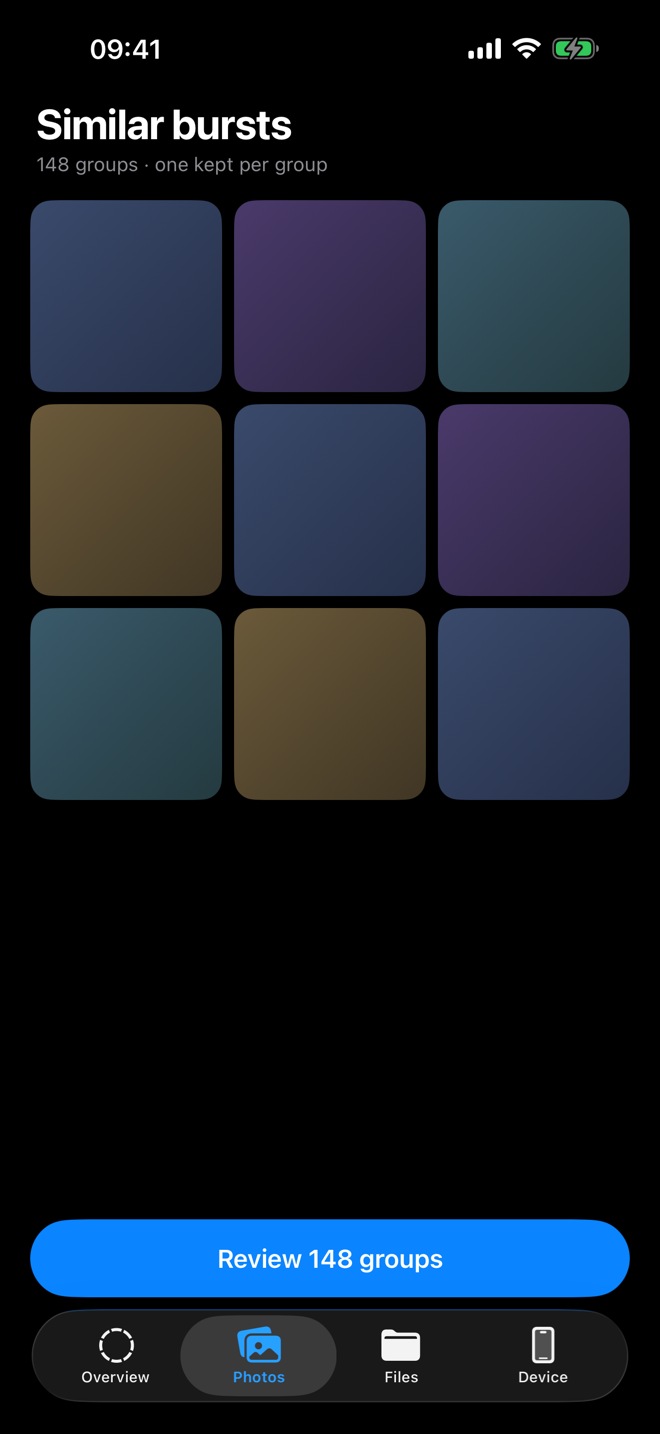
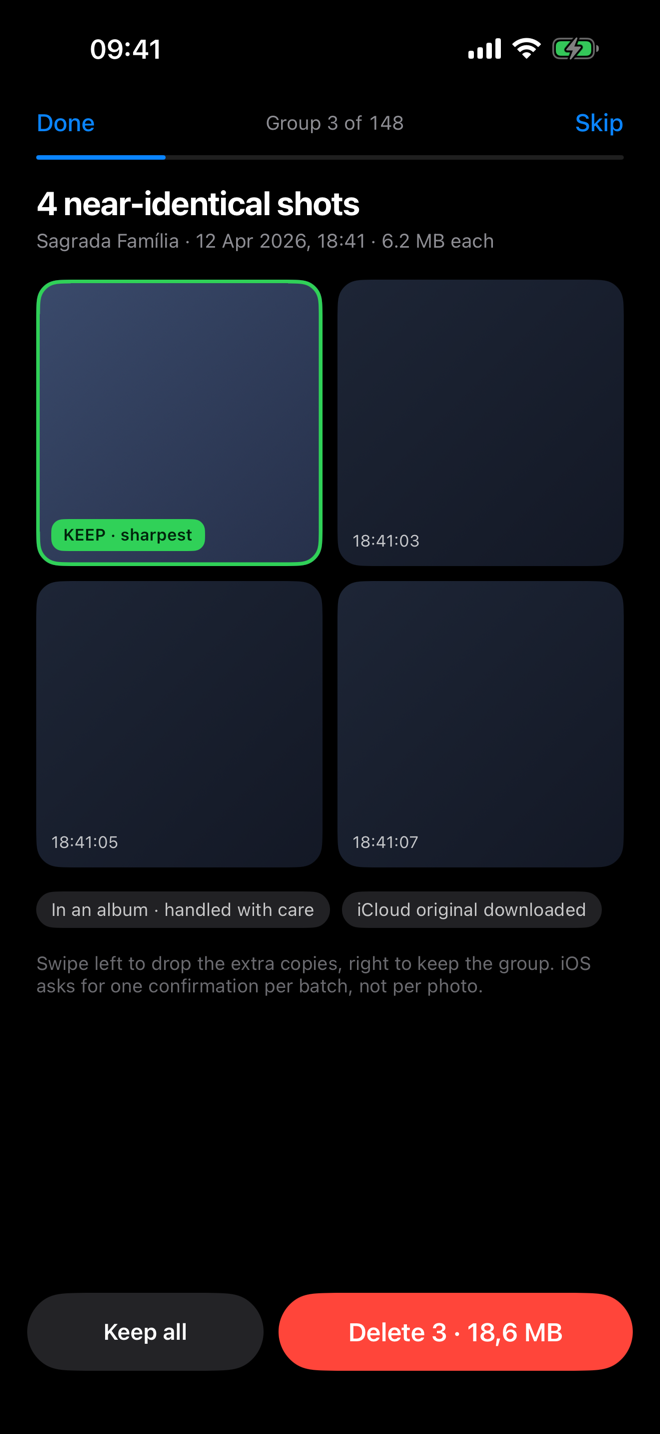
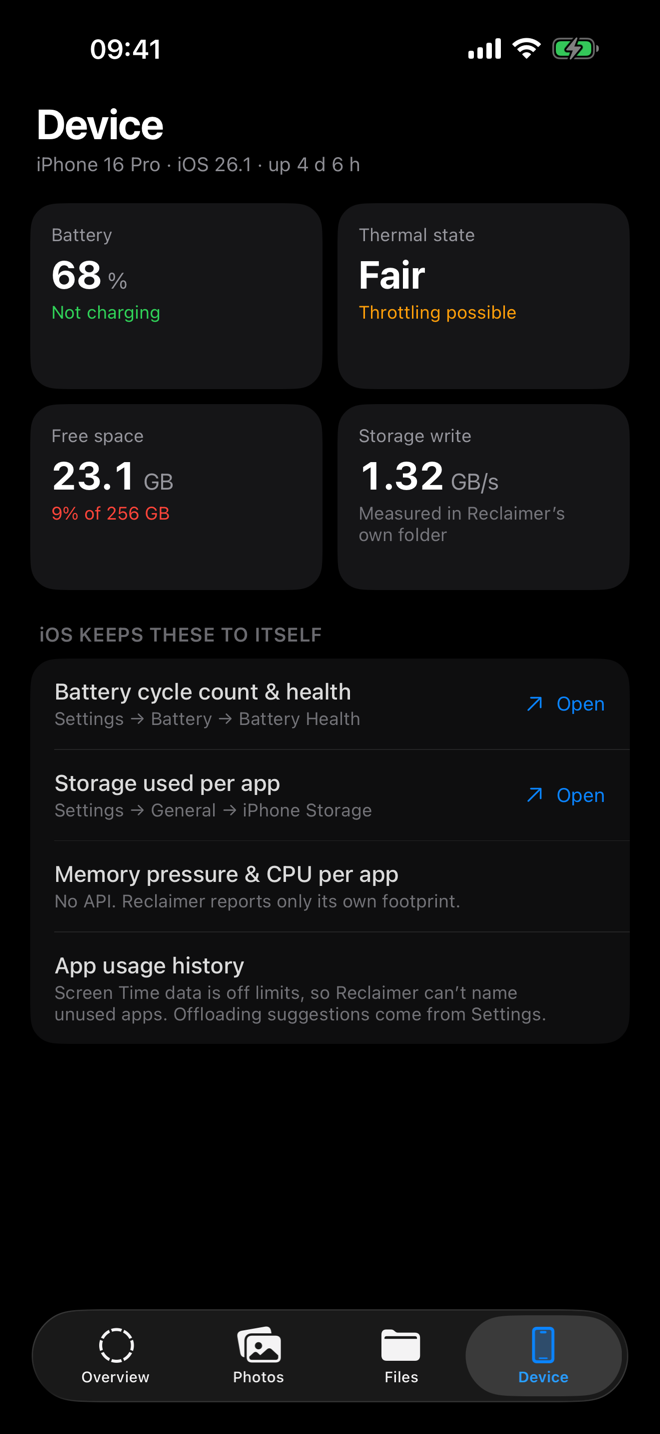
Storage overview on iPhone Duplicate and similar photos grouped Reviewing photos to keep or remove Device storage breakdown
  • Duplicate & similar photos — grouped automatically, with the sharpest shot kept.
  • Burst sequences — keep the best frame, drop the rest.
  • Old screenshots piling up unseen, surfaced in one place.
  • Compress large videos in place — reclaim space without deleting them.
  • You stay in control — you approve every delete, and it lands in Recently Deleted for 30 days.
Free to downloadScanning and the full storage report are free
Reclaimer Pro unlocks deleting at volume and in-place video compression — €19.99/year (€1.67/mo), €2.99/month, or €49.99 once.
7-day free trial
Download on the App Store
iPhone & iPad · Requires iOS 18 or later
Good to know

Questions

Is there an iPhone or iPad version?

Yes. Reclaimer for iPhone & iPad is on the App Store. It focuses on your photo library — duplicates, bursts, old screenshots and large videos — and runs entirely on device. It's free to download; Reclaimer Pro (a subscription or one-time unlock) enables bulk delete and in-place video compression. The Mac and iOS apps are separate purchases.

Is Reclaimer on the Mac App Store?

No — and that's on purpose. A true disk cleaner needs to read your whole drive and remove system caches, which the App Store's sandbox forbids. The Mac app is distributed directly, signed with Apple's Developer ID and fully notarized by Apple, so it installs and runs with no warnings. (The iPhone & iPad app is on the App Store, where those photo-cleanup features are allowed.)

How does the license work?

One-time purchase. After paying you get a license key by email (and on the confirmation page). Paste it into Reclaimer once and Pro is unlocked forever — no account, no server check, it works fully offline.

Is my data private?

Your files never leave your Mac — all scanning and cleaning happen on-device. The app sends only anonymous, aggregated usage and crash data (never file names, paths or personal data) to help improve it, and you can turn that off in Settings.

What do I need to run it?

A Mac running macOS 26 or later. Reclaimer asks for Full Disk Access so it can measure your storage — you grant that once in System Settings.

Can I try before buying?

Yes. Download it and every feature is unlocked for 7 days, free. Analysing your disk stays free forever; the license unlocks the cleanup tools after the trial.

Get your space back today.